Thursday, 16 March 2017


Thursday, 19 January 2017
Fx2lp - CY7C68013A development board
I am a big fan of USB... I have personally worked on many USB related projects

This was lying on my table for years I did n't know what to do with this board ..
I didn't have the schematic too

Actually this schematics covers all , except those 2 LEDS , They are connected to PA0, PA1 pins


This was lying on my table for years I did n't know what to do with this board ..
I didn't have the schematic too

Actually this schematics covers all , except those 2 LEDS , They are connected to PA0, PA1 pins
- Install CY3684 EZ-USB FX2LP DVK Setup software
- Install GPIF Designer software
- Install SuiteUSB software
Here is my Project files , Unzip it
3 things
1. Bulkloop Application
This is to send data to the device (testing ) .. You can modify this for your final USB PC application development

2. CYControl ( Detect Development Board & Download Firmware in to the device )
You can use this to download hex file to the device

3.Keil ( Remember this is size limited version ) ... So people sometimes chose sdcc compiler.( That works better on linux)

Double click & open it ..

Build it ..
once build is done , use the "cycontrol" tool to download the hex file to the device ..
I put a small code to blink the led when you send 01 ..(use bulk loop pc application)
For cypress ,no code explanation required :)
Saturday, 31 December 2016
STM32-Arduino -STM32f103c8t6 Programming Guide
This boards costs around 1.7$ ( including shipment all over the world ) in aliexpress.com.. low cost , extremely powerful controller than normal Arduino

- ARM® 32-bit Cortex® -M3 CPU Core
- 72 MHz maximum frequency,1.25 DMIPS/MHz (Dhrystone 2.1) performance at 0 wait state memory access
- Single-cycle multiplication and hardware division
- Memories
- 64 or 128 Kbytes of Flash memory
- 20 Kbytes of SRAM
- Clock, reset and supply management
- 2.0 to 3.6 V application supply and I/Os
- POR, PDR, and programmable voltage detector (PVD)
- 4-to-16 MHz crystal oscillator
- Internal 8 MHz factory-trimmed RC
- Internal 40 kHz RC
- PLL for CPU clock
- 32 kHz oscillator for RTC with calibration
- Low-power
- Sleep, Stop and Standby modes
- VBAT supply for RTC and backup registers
- 2 x 12-bit, 1 μs A/D converters (up to 16 channels)
- Conversion range: 0 to 3.6 V
- Dual-sample and hold capability
- Temperature sensor
- DMA
- 7-channel DMA controller
- Peripherals supported: timers, ADC, SPIs, I2 Cs and USARTs
- Up to 80 fast I/O ports
- 26/37/51/80 I/Os, all mappable on 16 external interrupt vectors and almost all 5 V-tolerant
- Debug mode
- Serial wire debug (SWD) & JTAG interfaces
- 7 timers
- Three 16-bit timers, each with up to 4 IC/OC/PWM or pulse counter and quadrature (incremental) encoder input
- 16-bit, motor control PWM timer with dead-time generation and emergency stop
- 2 watchdog timers (Independent and Window)
- SysTick timer 24-bit downcounter
- Up to 9 communication interfaces
- Up to 2 x I2 C interfaces (SMBus/PMBus)
- Up to 3 USARTs (ISO 7816 interface, LIN, IrDA capability, modem control)
- Up to 2 SPIs (18 Mbit/s)
- CAN interface (2.0B Active)
- USB 2.0 full-speed interface
1.Install the latest version of Arduino
2.Arm Compiler Installation
In arduino menu Go to "Tools" -> "Boards" -> "Boards Manager" & click "install."
( This board uses same gcc compiler used by Atmel SAM boards )

If you fail to install the compiler , you get an error message like this
exec: "/bin/arm-none-eabi-g++": file does not exist Error compiling for board Generic STM32F103C series.

Installation takes some time

3. Once Installation is over goto https://github.com/rogerclarkmelbourne/Arduino_STM32 & download it
4.Extract the zip file ,and copy it in to "C:\Program Files (x86)\Arduino\hardware" folder.. [if you have installed Arduino in to other place of your choice , copy it there .
Windows XP or other 32 bit OS path will be ,
C:\Program Files \Arduino\hardware

5. Connection is made like this

You can use any serial adapter with 3.3V level ... FTDI , CH340G works fine

6. Now Open Arduino & "Tools" Menu and Select
Board :Generic STM32F103C Series
Variant: STM32F103C8 (20k,RAM.64k Flash)
Upload Method:Serial
Port : (based on your USB to Serial device)
7.Copy & compile the below code
void setup() {
Serial.begin(9600);
pinMode(pinLED, OUTPUT);
Serial.println("START");
}
void loop() {
digitalWrite(pinLED, HIGH);
delay(1000);
digitalWrite(pinLED, LOW);
delay(1000);
Serial.println("Hello World");
}
if everything is fine it will compile ..
8. on the board set the BOOT0 to 1

Power ON the USB and before start uploading , press 'RESET' button once .. and click "upload"
Reset button & jumper setting force the controller to go to bootloder mode.
Incase if you have not pressed the reset button /jumper setting is not set proper , you get an error message like this " Failed to init device"

If everything goes fine you get a message like this

Now you should be able to see the LED blinking ..
Once programming is done ,board runs automatically , no need to change the jumber ..If you are just debugging your code, leave the jumper as it is .. Otherwise once programming is done, move it back to the previous position.
Friday, 30 December 2016

Monday, 26 December 2016
How to hack Your Neighbors IP CAMs / WebCams - (Strictly to study security flaws )
Legal Warning : Hacking is illegal the material given here is just to highlight the security failures ... This will help the new designers not to make that mistake again.
How do I know my neighbors IP address list?
Well there is a method Go to google and type "my IP address "

Now use Angry IP Scanner http://angryip.org/

Now make sure the following settings are clicked
Tools ->Fetchers


Usually I prefer
Http:80
FTP:20
SSH:22
Our case 80 is enough , now just searched new york IP address list , oh no dont want America , I have to visit there soon , so lets try hong kong


Some idiots install this in bedroom too , so let us pray once again ,and click activate .. If it ask you to install any software , install it..

How do I know my neighbors IP address list?
Well there is a method Go to google and type "my IP address "

Now use Angry IP Scanner http://angryip.org/

Now make sure the following settings are clicked
Tools ->Fetchers

Tools -> Preference
1. You might have to adjust the timeout /threads based on your network & PC ..
In the port selection

Http:80
FTP:20
SSH:22
Our case 80 is enough , now just searched new york IP address list , oh no dont want America , I have to visit there soon , so lets try hong kong

now enter 119.247.116.66 in a web browser , I prefer Firefox , because google chrome is not nice to third party plugins (security problem)
well default password did not work , its ASUS router

Lets hack other network , near by network ..
Now lets put that in the browser , if asked to install the plugin , install it .. Use Mozilla Firefox
lets use default password admin /12345 & pray god ... Ooh lord god please give use the key to open the doors of heaven .. my bad luck , he did not listen to me ... Lets change the ip range & find new one ..

XXX.XXX.XXX.1 - XXX.XXX.XXX.255 (xxx= 0-255)
| | | 3rd Change it every other search
ISP IP |
2nd digit change it sometimes
Yes you can search entire web with one click , but if you bombard you your ISP with heavily load , they silently drop the packets , or disconnect you network access :) so stop your search just by changing the last digit 0-255
mean while I started testing my luck, god heard my password

Some idiots install this in bedroom too , so let us pray once again ,and click activate .. If it ask you to install any software , install it..

Well some one is celebrating christmas ... Marry christmas & Happy New year to all
[Legal warning : Entire episode was done on simulation environment under my own network .. safe :) ]
Sunday, 25 December 2016
Embedded Micro-controllers - A Comparison [ Embedded Design Engineers Guide] - Part 1
Introduction:
Most people in the industry usually get struck with one processor family , or else with one processsor making company (NXP. Atmel ,TI) They never know the advantage and disadvantage of other products ... They just carry on with their design ... My first company was font of Atmel , they use Atmel chips only ... Second one was using Motorola chips (Freescale ,ohh no now its Qualcom).
I have interacted with many designers , they say ,
1.X, or Y processor suits their requirement , so they dont want to change it
2.Our application is very special one , So even though its high cost , we dont want to change it.
3.Our Processor is proven field tested , I dont want to take risk.
4.Our processor works underwater/oil and gas environment , sorry no need ..
5.EMI,High voltage environment ,we cant change so Sorry
6.We have complex PID loop ,Only DSP processor will work.. dont want ARM..
Now I will explain you about something you might have never attempted , no where available..
There are hardly 10 companies in this bussines
Who are all the leading manufacturers
1.NXP
2.Texas Instruments
3.ST Micro electronics
4. Atmel /Microchip
5 Cypress
6.Infineon
7.Renesas
8.Silicon Labs
9.nuvoTon
10.Analog Devices
11.Maxim
12.stcmicro
13.GigaDevice
How do I choose a chip for my product
Technical Aspects
1. Processor Architecture (8051,ARM,DSP,Soft Processor)
2. Speed
3. Communication Protocols Requirements (UART/I2C/SPI/LIN/CAN/Ethernet/FlexRay/USB/Profibus/Profinet/CANopen/Device Net/Ethernet/IP/Modbus Serial/Modbus IP/FFieldBus/Hart/ControNet) Some of the protocols run on Layer 2/Layer 3 , They are nothing to do with the hardware selection , but there are controllers/manufaturers who give free libraries for these protocols , which reduce the time & cost involved in the driver development.
4.GPIO Requirement
5.Special Timer /PWM Sync requirement
6.ADC chanel number / Sampling Rate /Resolution [8 bit /12 bit /14 bit /16 bit ]
7.DAC [resolution ]
8.Power consumption
9.Video Output[TV AV /HDMI /VGA/LCD ]
10.Audio Processing
Management Aspects
[This is what I convey to my boss]
1.Price [With/without import duty ,some cases when you export it , you can reclaim this amount]
2.Availability [Send a formal mail to the chip vendor and ask them the availability of the chip for another 10 years /will there be pin to pin replacement in case if it becomes obsolete..
3.Peripheral support Driver source code / binary blob ?
4.Compiler cost /one time or what ? Runtime license Involved ? Other tools (JTAG /ISP Programmer)
5.Aditional Lab Equipment Needed for debugging [Logical Analyser /Protocol Analyser ]
Now lets see who are all the specialist in What ?
Some time the design engineer has to assume himself as a doctor and prescribe correct chips..
Now lets see the list of companies one by one..
1.NXP
http://www.nxp.com/
a. LPC series [300 ICs] [brought from philips ]
i.ARM Cortex M0 M0+ M3 M4 Cores
ii.30-200MHz Speed
iii.Flash 4-1Mb
iv.USB Host + Device[High Speed /Full Speed]
Large data capturing requires High Speed Device [480Mpbs]
v.CAN- 1-2 CAN bus
vi.GPIO -11-165 Pins
vii.PWM+ADC for motor control
viii.Price 2-18$
ix.Special Features : LPC4370FET100 /LPC43S70FET256 both have 80Msps ADC
which make it ideal solution for Software defined Radio .. Usually No controller support high speed ADC [Need FPGA +Analog devices ADC+Microcontroller]
b. Kinetis [ARM Cortex M4]
i.Similar to LPC series
ii.low power consumption
c.MPC5XXX
i.32 bit PowerPC architecture
ii.40-400Mhz
iii. 2- 8 CAN Specially made for automobile Industry
vi.compiler license
d.POwer QUICC
i.PCI bus is specialty , but costly
e.DSP Processor/Controller
16bit processor good for motor control but expansive ,I recommand LPC/STM32
f.ColdFire processor
I recommend LPC series for new designs .. Old /retrofit /legacy products , I dont recommend because , the software cost (Porting /Testing / Field trial/Approval )associated with rewriting the code is enormous , unless if you see any substantial benifit from it , dont attempt it .. I personally seen many people had a very bad experience .. Always here will be a voice in the team (it worked there in the old code , not working here ,so fix it)
LPCXpressoIDE is free tool , For most cases , you dont have to worry about ARM compiler .. GCC linaro works very well.. and its free..
FreeRTOS support is available ..( RTOS saves you time )
MPC5XXX is good for Autombile Industry especially it can serve as a CAN gateway , but check Renesas and Infineon before finalizing your chip
DSP Processor/Controller
I recommend this for motor control board , power supply , It can run on any hostile environment .. It also has a good CAN support.. but its costly
2.TI:
a.MSP430/MSP432
i.Low power 16 bit processor , If you have not fixed your mind with Cortex M , this series is best ... TI usually provide a very good support too. You can use this incase of geneeral pourpose 8051 replacement controller ..
ii. Value for money, Starting from 1$
b.Piccolo TMS320
i. Good for DSP / motor control application , It has a good ADC resolution
c..TM4C12X ARM Cortex M
i.Its a good ,well supported processor , having USB & Ethernet support .. For fast prototype I strongly recommand this processor .. cost $10 Range
d.Hercules ARM Cortex R4 [Real Time]
i.Its Costly 20$ range
ii.I dont recommand this considering the cost , but if you have a special reason to choose Cortex R , then OK
iii.Hercules 5 Series has FlexRay support , but 38$(1K)
e. RF430/CC430(6$)
i.Good for NFC RF Transceiver /RFID
ii.Price 1$
f.SimpleLinkCC1X
i.1GHz propitiatory protocol
3..ST Micro electronics
It is known for making low cost cortex M controller .. ST is lot cheaper than NXP & TI
If you are concerned about cost go with this , DSP ,PID what ever the special function can be handled very well by the software ..
a. STM8
i.8 bit microcontroller
ii.1-2$
b.STM32
i. 1-15$ whole verity of Cortex M Processor available
best suited for cost effective design..
ii.USB+CAN Comes around 1.5$ where as if we search the same in TI or NXP it will be costly
c.SPC (Automomobile )
i.It has Flexray + 6 CAN around 10-15$ extremly cheap compared to NXP & TI
d.Low Power Cortex M0+ -3$
Atmel /Microchip
I was a big fan of AVR processors , after working with ARM 32 bit processor , my opinions changed , I still love Atmel ..
a.AT32
i. 60Mhz ,32 bit ,
ii. 10$ sorry costly
b.AT89
i.Old series , I love it .
ii.DIP Pakages make it easy for prototyping
c.AT90CAN
i. CAN bus series ,10$
d.AT90USB
i.USB Series 5-10$
e.ATSAM
i.ARM7
ii.10-15$
f.ATmega
i.My First processor 2-10$
ii.Awesome one
g.ATSAM3
i.Cortex -M3
ii.5-10$
h.ATSAM4
i.Cortex-M4
i.ATSAMA5
i.Cortex -A5
ii.500MHz
iii.10$
j.ATSAMC20
i.Cortex-M0+
ii.4$
k.ATSAME7
l. ATtiny
i.Cute compact series
ii.1-3$
Microchip
a.8Bit
i.PIC 10/12/16/18
ii.0.5 to 2 $
b.16Bit
i.dsPIC33,PIC24
ii.2-6$
c.32Bit
i.PIC32
ii.2-10$
5.Cypress
Cypress is expert in USB
a.PSOC Cortex
one of the wonderful product still fuguring out how it can be used in my application
b. FM Cortex M 3-15$
6.Infineon
a.ARM Cortex M
b.Tricore poor documentation
7.Renesas
I hate Infineon & Renesas ,they give more and more irrelevant informations... Webpage turned to be an advertisement page ..
8.Silicon Labs
a.8051 Chips
b.ARM Cortex M
9.nuvoTon
a.8051 chips 2$
b.ARM cortex M chips 4-10$
They do Foundary business too ..
10.Analog Devices
a.blackfin
b.SHARC
i.Love analog devices for its 1Gsps ADC .. some audio processing chips available
ii.Cost above 20$ ...
11.Maxim
a. Low Power MAX32
b.Secure
c.Deep Cover
Secure RAM based erasable chips available , good for POS machines
12.stcmicro
very cheap chinese 8051 based chips
STM32 Clone names
13.GigaDevice
STM32 clone names ... This stuff available in china .. no international distributer sells it ..
My Recommendation
I value money , For general IO board design I choose PIC/Atmel ..
For High end connectivity application I go for STM32
For USB Stuffs Cypress
For ADC /audio codec processor Analog devices
For fast proto/design I go with TI/NXP No one can match their quality
Most people in the industry usually get struck with one processor family , or else with one processsor making company (NXP. Atmel ,TI) They never know the advantage and disadvantage of other products ... They just carry on with their design ... My first company was font of Atmel , they use Atmel chips only ... Second one was using Motorola chips (Freescale ,ohh no now its Qualcom).
I have interacted with many designers , they say ,
1.X, or Y processor suits their requirement , so they dont want to change it
2.Our application is very special one , So even though its high cost , we dont want to change it.
3.Our Processor is proven field tested , I dont want to take risk.
4.Our processor works underwater/oil and gas environment , sorry no need ..
5.EMI,High voltage environment ,we cant change so Sorry
6.We have complex PID loop ,Only DSP processor will work.. dont want ARM..
Now I will explain you about something you might have never attempted , no where available..
There are hardly 10 companies in this bussines
Who are all the leading manufacturers
1.NXP
2.Texas Instruments
3.ST Micro electronics
4. Atmel /Microchip
5 Cypress
6.Infineon
7.Renesas
8.Silicon Labs
9.nuvoTon
10.Analog Devices
11.Maxim
12.stcmicro
13.GigaDevice
How do I choose a chip for my product
Technical Aspects
1. Processor Architecture (8051,ARM,DSP,Soft Processor)
2. Speed
3. Communication Protocols Requirements (UART/I2C/SPI/LIN/CAN/Ethernet/FlexRay/USB/Profibus/Profinet/CANopen/Device Net/Ethernet/IP/Modbus Serial/Modbus IP/FFieldBus/Hart/ControNet) Some of the protocols run on Layer 2/Layer 3 , They are nothing to do with the hardware selection , but there are controllers/manufaturers who give free libraries for these protocols , which reduce the time & cost involved in the driver development.
4.GPIO Requirement
5.Special Timer /PWM Sync requirement
6.ADC chanel number / Sampling Rate /Resolution [8 bit /12 bit /14 bit /16 bit ]
7.DAC [resolution ]
8.Power consumption
9.Video Output[TV AV /HDMI /VGA/LCD ]
10.Audio Processing
Management Aspects
[This is what I convey to my boss]
1.Price [With/without import duty ,some cases when you export it , you can reclaim this amount]
2.Availability [Send a formal mail to the chip vendor and ask them the availability of the chip for another 10 years /will there be pin to pin replacement in case if it becomes obsolete..
3.Peripheral support Driver source code / binary blob ?
4.Compiler cost /one time or what ? Runtime license Involved ? Other tools (JTAG /ISP Programmer)
5.Aditional Lab Equipment Needed for debugging [Logical Analyser /Protocol Analyser ]
Now lets see who are all the specialist in What ?
Some time the design engineer has to assume himself as a doctor and prescribe correct chips..
Now lets see the list of companies one by one..
1.NXP
http://www.nxp.com/
a. LPC series [300 ICs] [brought from philips ]
i.ARM Cortex M0 M0+ M3 M4 Cores
ii.30-200MHz Speed
iii.Flash 4-1Mb
iv.USB Host + Device[High Speed /Full Speed]
Large data capturing requires High Speed Device [480Mpbs]
v.CAN- 1-2 CAN bus
vi.GPIO -11-165 Pins
vii.PWM+ADC for motor control
viii.Price 2-18$
ix.Special Features : LPC4370FET100 /LPC43S70FET256 both have 80Msps ADC
which make it ideal solution for Software defined Radio .. Usually No controller support high speed ADC [Need FPGA +Analog devices ADC+Microcontroller]
b. Kinetis [ARM Cortex M4]
i.Similar to LPC series
ii.low power consumption
c.MPC5XXX
i.32 bit PowerPC architecture
ii.40-400Mhz
iii. 2- 8 CAN Specially made for automobile Industry
vi.compiler license
d.POwer QUICC
i.PCI bus is specialty , but costly
e.DSP Processor/Controller
16bit processor good for motor control but expansive ,I recommand LPC/STM32
f.ColdFire processor
I recommend LPC series for new designs .. Old /retrofit /legacy products , I dont recommend because , the software cost (Porting /Testing / Field trial/Approval )associated with rewriting the code is enormous , unless if you see any substantial benifit from it , dont attempt it .. I personally seen many people had a very bad experience .. Always here will be a voice in the team (it worked there in the old code , not working here ,so fix it)
LPCXpressoIDE is free tool , For most cases , you dont have to worry about ARM compiler .. GCC linaro works very well.. and its free..
FreeRTOS support is available ..( RTOS saves you time )
MPC5XXX is good for Autombile Industry especially it can serve as a CAN gateway , but check Renesas and Infineon before finalizing your chip
DSP Processor/Controller
I recommend this for motor control board , power supply , It can run on any hostile environment .. It also has a good CAN support.. but its costly
2.TI:
a.MSP430/MSP432
i.Low power 16 bit processor , If you have not fixed your mind with Cortex M , this series is best ... TI usually provide a very good support too. You can use this incase of geneeral pourpose 8051 replacement controller ..
ii. Value for money, Starting from 1$
b.Piccolo TMS320
i. Good for DSP / motor control application , It has a good ADC resolution
c..TM4C12X ARM Cortex M
i.Its a good ,well supported processor , having USB & Ethernet support .. For fast prototype I strongly recommand this processor .. cost $10 Range
d.Hercules ARM Cortex R4 [Real Time]
i.Its Costly 20$ range
ii.I dont recommand this considering the cost , but if you have a special reason to choose Cortex R , then OK
iii.Hercules 5 Series has FlexRay support , but 38$(1K)
e. RF430/CC430(6$)
i.Good for NFC RF Transceiver /RFID
ii.Price 1$
f.SimpleLinkCC1X
i.1GHz propitiatory protocol
3..ST Micro electronics
It is known for making low cost cortex M controller .. ST is lot cheaper than NXP & TI
If you are concerned about cost go with this , DSP ,PID what ever the special function can be handled very well by the software ..
a. STM8
i.8 bit microcontroller
ii.1-2$
b.STM32
i. 1-15$ whole verity of Cortex M Processor available
best suited for cost effective design..
ii.USB+CAN Comes around 1.5$ where as if we search the same in TI or NXP it will be costly
c.SPC (Automomobile )
i.It has Flexray + 6 CAN around 10-15$ extremly cheap compared to NXP & TI
d.Low Power Cortex M0+ -3$
Atmel /Microchip
I was a big fan of AVR processors , after working with ARM 32 bit processor , my opinions changed , I still love Atmel ..
a.AT32
i. 60Mhz ,32 bit ,
ii. 10$ sorry costly
b.AT89
i.Old series , I love it .
ii.DIP Pakages make it easy for prototyping
c.AT90CAN
i. CAN bus series ,10$
d.AT90USB
i.USB Series 5-10$
e.ATSAM
i.ARM7
ii.10-15$
f.ATmega
i.My First processor 2-10$
ii.Awesome one
g.ATSAM3
i.Cortex -M3
ii.5-10$
h.ATSAM4
i.Cortex-M4
i.ATSAMA5
i.Cortex -A5
ii.500MHz
iii.10$
j.ATSAMC20
i.Cortex-M0+
ii.4$
k.ATSAME7
l. ATtiny
i.Cute compact series
ii.1-3$
Microchip
a.8Bit
i.PIC 10/12/16/18
ii.0.5 to 2 $
b.16Bit
i.dsPIC33,PIC24
ii.2-6$
c.32Bit
i.PIC32
ii.2-10$
5.Cypress
Cypress is expert in USB
a.PSOC Cortex
one of the wonderful product still fuguring out how it can be used in my application
b. FM Cortex M 3-15$
6.Infineon
a.ARM Cortex M
b.Tricore poor documentation
7.Renesas
I hate Infineon & Renesas ,they give more and more irrelevant informations... Webpage turned to be an advertisement page ..
8.Silicon Labs
a.8051 Chips
b.ARM Cortex M
9.nuvoTon
a.8051 chips 2$
b.ARM cortex M chips 4-10$
They do Foundary business too ..
10.Analog Devices
a.blackfin
b.SHARC
i.Love analog devices for its 1Gsps ADC .. some audio processing chips available
ii.Cost above 20$ ...
11.Maxim
a. Low Power MAX32
b.Secure
c.Deep Cover
Secure RAM based erasable chips available , good for POS machines
12.stcmicro
very cheap chinese 8051 based chips
STM32 Clone names
13.GigaDevice
STM32 clone names ... This stuff available in china .. no international distributer sells it ..
My Recommendation
I value money , For general IO board design I choose PIC/Atmel ..
For High end connectivity application I go for STM32
For USB Stuffs Cypress
For ADC /audio codec processor Analog devices
For fast proto/design I go with TI/NXP No one can match their quality
Wednesday, 21 December 2016
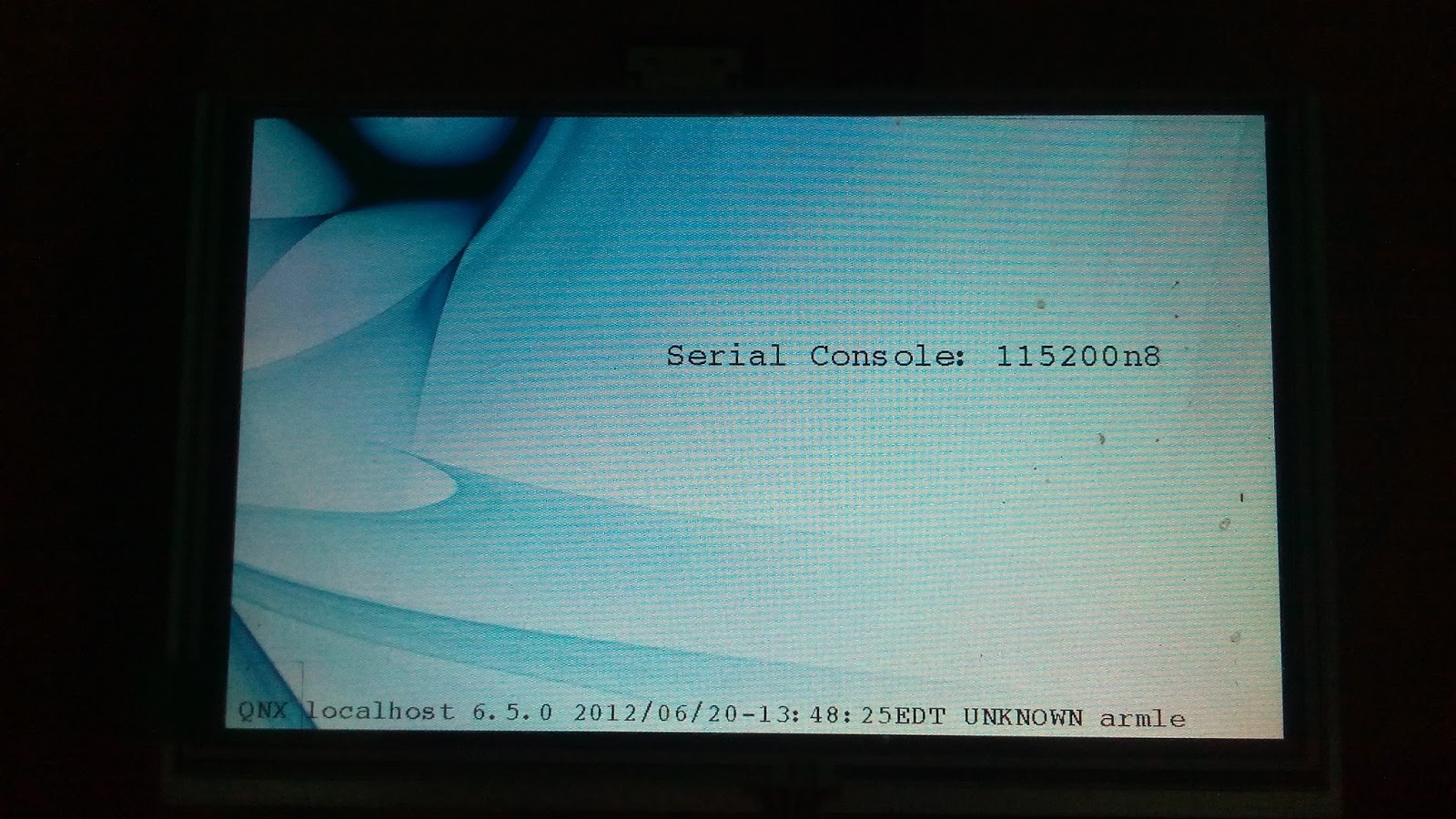
Orange Pi - QNX 6.5 Support - Allwinner H3 - Quard Core Cortex-A7 Source Code - porting 1
QNX -Startup Coding
I am adding Minimal QNX Support to this processor ... Source code will be updated here soon..
I have decided to write the step by step procedure on this ... It will be helpfull for people who port to QNX ... Everything will be documented here ... As I add a new code both code & docoments will be posted here regularly ...
First step is baremetal programming on Orange Pi ...
You can see my other post where I have mention how to do baremetal programming for orange pi
1. I have chosen beaglebone board as a reference BSP , You can download this from QNX website ..
Reason I choose this because it has ARM V7 support & I have a beaglebone board with me.
bsp-nto650-ti-beaglebone-sp1-trunk-201209071340.zip ... Import it directly to QNX IDE , no unzip..
IPL not required , we have Uboot ..
2. Change the image load address to this ( You can see my bare metal code example ) in the startup .build file
[image=0x41000000]
#[+compress]
[virtual=armle-v7,raw] .bootstrap = {
3.Change the kernel to " smp " we have quad core processor ..
PATH=:/proc/boot:/bin:/usr/bin LD_LIBRARY_PATH=:/proc/boot:/lib:/usr/lib:/lib/dll procnto-smp-instr -v
}
4. Go to "main.c" file in the startup , add our baremetal LED blink code here... We just want to make sure that the image is loaded properly in to RAM & the control goes to "main.c"
#define STARTUP_TEST
#define PIO_BASE 0x01C20800
#define PA_CFG1_REG 0x04
#define PA_DATA_REG 0x10
#ifdef STARTUP_TEST
// while(1)
for(j=0;j<3;j++)
{
for (i=0;i<20000000;i++)
{
out32(PIO_BASE+PA_DATA_REG, 0);
//pa15 red led refer schematics
}
for (i=0;i<20000000;i++)
{
out32(PIO_BASE+PA_DATA_REG, 1<<15);
}
}
#endif
Now build it ... You can see the image in the folder "ifs-ti-beaglebone.bin" , will change the name later ...
5. Now the H3 bootloader has to be writtern in to the SD card properly , there is a step to do that , it has to be done in Linux environment... No need of doing that .. download Lubuntu_1404_For_OrangePiPC_v0_8_0_.img.xz from orange PI, write it to sd card using "Win32DiskImager" , you can see "uimage" file ... Thats linux kernel ,delete that ..
6. Put this card in to Orange pi & boot it .. Connet UART debugger 115200 , I use "putty "
now this appears ...

7. Copy the orange pi image "ifs-ti-beaglebone.bin" to the sd card , boot it again , enter the below command
sunxi# fatload mmc 0 0x41000000 ifs-ti-beaglebone.bin; go 0x41000000
8. Now you can see the LED blinking
Serial debug messages support ( dont confuse it with devc driver )
9. Go to hw_seromap.c file ,
#define H3_UART_BASE 0x01C28000
#define H3_UART_RBR 0x00
#define H3_UART_THR 0x00
#define H3_UART_DLL 0x00
#define H3_UART_IER 0x04
#define H3_UART_DLM 0x04
#define H3_UART_FCR 0x08
#define H3_UART_LCR 0x0C
#define H3_UART_MCR 0x10
#define H3_UART_LSR 0x14
#define H3_UART_MSR 0x18
#define H3_UART_SCR 0x1C
void
put_omap(int c)
{
while (( in32(H3_UART_BASE + H3_UART_LSR) & 0x20) == 0) continue;
out32(H3_UART_BASE + H3_UART_THR,c);
}
No need to change the "init" file now , as its been initialized by uboot
10 . Compile it & boot .... Now you could see debug messages , also an error message " Unsupported CPUID"
11. This is because our BSP does not have cortex -A7 support , cortex -A7 support is added by QNX guys , download those relevent files from other qnx bsps ... follow Cortex A15 support in the code , now you can guess what is required to up cortex A7 ...
12. After adding the files
armv_chip_a7.c
armv_setup_a7.c
callout_catche_a7.S
callout_page_a7.S
Now you can see the below boot messages

13.. Hey CPU detected , need to configure the Timer & interrupt ... Thats next post ...
Have a nice day ...
I am adding Minimal QNX Support to this processor ... Source code will be updated here soon..
I have decided to write the step by step procedure on this ... It will be helpfull for people who port to QNX ... Everything will be documented here ... As I add a new code both code & docoments will be posted here regularly ...
First step is baremetal programming on Orange Pi ...
You can see my other post where I have mention how to do baremetal programming for orange pi
1. I have chosen beaglebone board as a reference BSP , You can download this from QNX website ..
Reason I choose this because it has ARM V7 support & I have a beaglebone board with me.
bsp-nto650-ti-beaglebone-sp1-trunk-201209071340.zip ... Import it directly to QNX IDE , no unzip..
IPL not required , we have Uboot ..
2. Change the image load address to this ( You can see my bare metal code example ) in the startup .build file
[image=0x41000000]
#[+compress]
[virtual=armle-v7,raw] .bootstrap = {
3.Change the kernel to " smp " we have quad core processor ..
PATH=:/proc/boot:/bin:/usr/bin LD_LIBRARY_PATH=:/proc/boot:/lib:/usr/lib:/lib/dll procnto-smp-instr -v
}
4. Go to "main.c" file in the startup , add our baremetal LED blink code here... We just want to make sure that the image is loaded properly in to RAM & the control goes to "main.c"
#define STARTUP_TEST
#define PIO_BASE 0x01C20800
#define PA_CFG1_REG 0x04
#define PA_DATA_REG 0x10
#ifdef STARTUP_TEST
// while(1)
for(j=0;j<3;j++)
{
for (i=0;i<20000000;i++)
{
out32(PIO_BASE+PA_DATA_REG, 0);
//pa15 red led refer schematics
}
for (i=0;i<20000000;i++)
{
out32(PIO_BASE+PA_DATA_REG, 1<<15);
}
}
#endif
Now build it ... You can see the image in the folder "ifs-ti-beaglebone.bin" , will change the name later ...
5. Now the H3 bootloader has to be writtern in to the SD card properly , there is a step to do that , it has to be done in Linux environment... No need of doing that .. download Lubuntu_1404_For_OrangePiPC_v0_8_0_.img.xz from orange PI, write it to sd card using "Win32DiskImager" , you can see "uimage" file ... Thats linux kernel ,delete that ..
6. Put this card in to Orange pi & boot it .. Connet UART debugger 115200 , I use "putty "
now this appears ...

7. Copy the orange pi image "ifs-ti-beaglebone.bin" to the sd card , boot it again , enter the below command
sunxi# fatload mmc 0 0x41000000 ifs-ti-beaglebone.bin; go 0x41000000
Serial debug messages support ( dont confuse it with devc driver )
9. Go to hw_seromap.c file ,
#define H3_UART_BASE 0x01C28000
#define H3_UART_RBR 0x00
#define H3_UART_THR 0x00
#define H3_UART_DLL 0x00
#define H3_UART_IER 0x04
#define H3_UART_DLM 0x04
#define H3_UART_FCR 0x08
#define H3_UART_LCR 0x0C
#define H3_UART_MCR 0x10
#define H3_UART_LSR 0x14
#define H3_UART_MSR 0x18
#define H3_UART_SCR 0x1C
void
put_omap(int c)
{
while (( in32(H3_UART_BASE + H3_UART_LSR) & 0x20) == 0) continue;
out32(H3_UART_BASE + H3_UART_THR,c);
}
No need to change the "init" file now , as its been initialized by uboot
10 . Compile it & boot .... Now you could see debug messages , also an error message " Unsupported CPUID"
11. This is because our BSP does not have cortex -A7 support , cortex -A7 support is added by QNX guys , download those relevent files from other qnx bsps ... follow Cortex A15 support in the code , now you can guess what is required to up cortex A7 ...
12. After adding the files
armv_chip_a7.c
armv_setup_a7.c
callout_catche_a7.S
callout_page_a7.S
Now you can see the below boot messages

13.. Hey CPU detected , need to configure the Timer & interrupt ... Thats next post ...
Have a nice day ...
Subscribe to:
Posts (Atom)